Tag: mandelbrot

  • ASCII terminal mandelbrot fractal renderer in Go

    ASCII terminal mandelbrot fractal renderer in Go

    After the previous post about the mandelbrot renderer written in Go, this article will be related to the same topic, only this time i’ll talk about a terminal based Julia set generator written again in Go language. In fact i’ve done this experiment prior to write the mandelbrot renderer. About the implementation I’ve discussed in the last article.

    The whole idea came from the motivation to create something which resembles the feeling which only a terminal based application can create (something which is close enough to the pixelart technique), but at the same time it has enough visually appealing characteristics and above all it’s dynamic.

    Into the terminal fractals

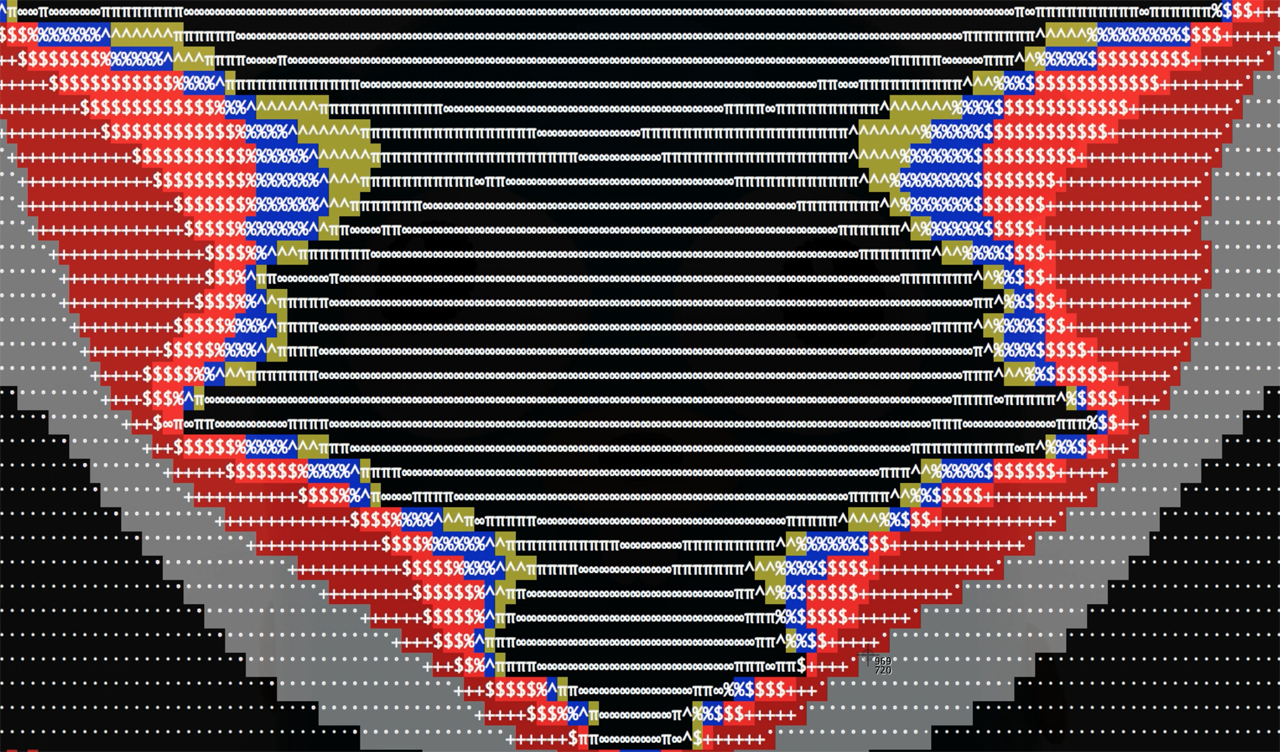
    (In preview the ASCII Mandelbrot generator running in terminal)

    Because in the last few months i was pretty much delved into the fractals, i’ve started to create some small experiments, one of them being the code snippet below:

    https://gist.github.com/esimov/970a3816dda12e4059e3.js

    Which produce the following terminal output:
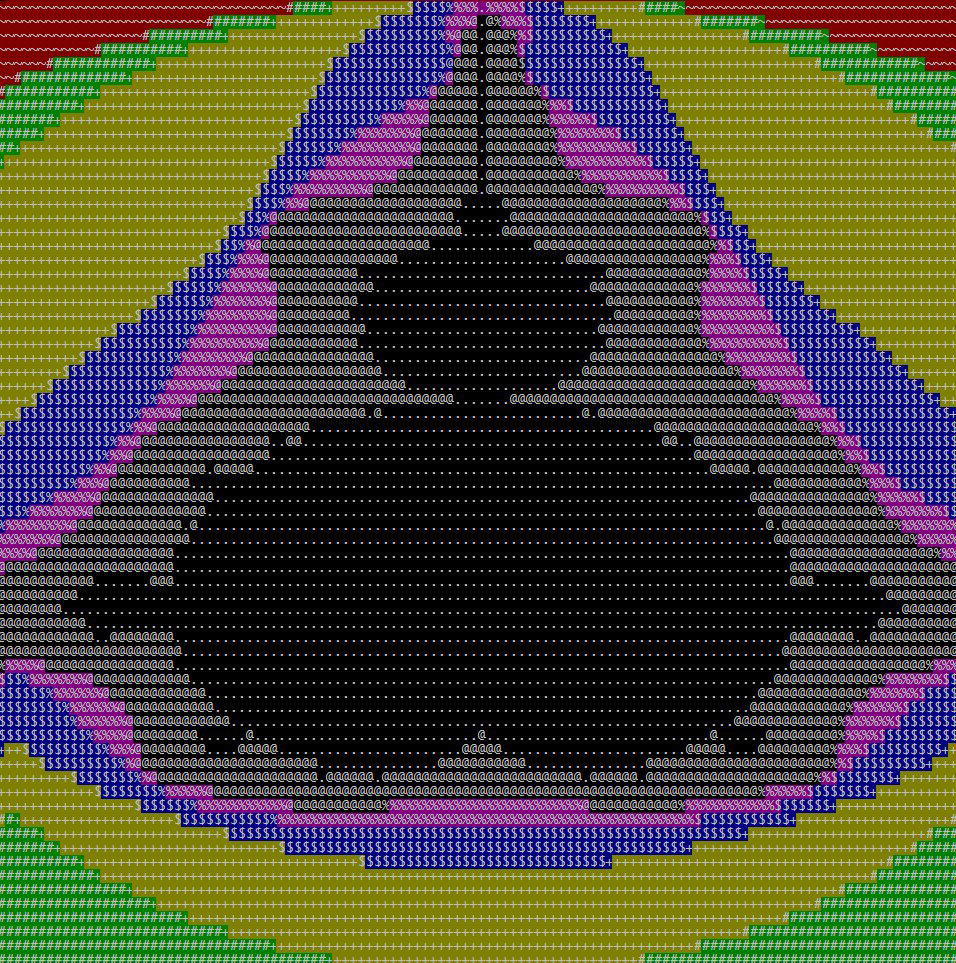
    mandelbrot

    This was nice but i wanted to be dynamic, and not something simply put in the terminal window. So i’ve started to search for methods to refresh the terminal window periodically, ideally to refresh on each mandelbrot iteration. For this reason i’ve created some utility methods to get the terminal window width and height. And another method to flush the screen buffer periodically.

    
    // Get console width
    func Width() int {
    	ws, err := getWinsize()
    
    	if err != nil {
    		return -1
    	}
    
    	return int(ws.Row)
    }
    
    // Get console height
    func Height() int {
    	ws, err := getWinsize()
    	if err != nil {
    		return -1
    	}
    	return int(ws.Col)
    }
    
    // Flush buffer and ensure that it will not overflow screen
    func Flush() {
    	for idx, str := range strings.Split(Screen.String(), "\n") {
    		if idx > Height() {
    			return
    		}
    
    		output.WriteString(str + "\n")
    	}
    
    	output.Flush()
    	Screen.Reset()
    }
    

    It was missing another ingredient: in terminal based application we need somehow to specify the cursor position where to output the desired character, some kind of pointer to a position specified by width and height coordinate. For this i’ve created another method which move the cursor to the desired place, defined by x and y:

    // Move cursor to given position
    func MoveCursor(x int, y int) {
    	fmt.Fprintf(Screen, "\033[%d;%dH", x, y)
    }

    Then we can clear the screen buffer periodically. In linux based systems to move the cursor to a specific place in terminal window we can use ANSI escape codes, like: \033[%d;%dH, where %d;%d we can replace with values obtained from the mandelbrot renderer. In the example provided in the project github repo i’m moving the terminal window cursor to the mandelbrot x and y position, after which i’m clearing the screen.

    To make it more attractive i used a cheap trick to zoom in and out into the fractal and to smoothly displace the fractal position by applying sine and cosine function on x and y coordinate.

    for {
    	n += 0.045
    	zoom += 0.04 * math.Sin(n)
    	asciibrot.DrawFractal(zoom, math.Cos(n), math.Sin(n)/zoom*0.02, math.Sin(n), MAX_IT, true, isColor) //where math.Cos(n) and math.Sin(n) are x and y coordinates	
    }

    But there is another issue. We need to handle differently the code responsible to obtain the terminal window size in different operating systems. In linux and darwin based operating systems here is how we can get the terminal size:

    func getWinsize() (*winsize, error) {
    	ws := new(winsize)
    
    	var _TIOCGWINSZ int64
    
    	switch runtime.GOOS {
    	case "linux":
    		_TIOCGWINSZ = 0x5413
    	case "darwin":
    		_TIOCGWINSZ = 1074295912
    	}
    
    	r1, _, errno := syscall.Syscall(syscall.SYS_IOCTL,
    		uintptr(syscall.Stdin),
    		uintptr(_TIOCGWINSZ),
    		uintptr(unsafe.Pointer(ws)),
    	)
    
    	if int(r1) == -1 {
    		fmt.Println("Error:", os.NewSyscallError("GetWinsize", errno))
    		return nil, os.NewSyscallError("GetWinsize", errno)
    	}
    	return ws, nil
    }
    

    In Windows operating system to obtain the terminal dimension is a little bit different:

    
    type (
    	coord struct {
    		x int16
    		y int16
    	}
    
    	consoleScreenBufferInfo struct {
    		size              coord
    		cursorPosition    coord
    		maximumWindowSize coord
    	}
    )
    // ...
    func getWinSize() (width, height int, err error) {
    	var info consoleScreenBufferInfo
    	r0, _, e1 := syscall.Syscall(procGetConsoleScreenBufferInfo.Addr(), 2, uintptr(out), uintptr(unsafe.Pointer(&info)), 0)
    	if int(r0) == 0 {
    		if e1 != 0 {
    			err = error(e1)
    		} else {
    			err = syscall.EINVAL
    		}
    	}
    	return int(info.size.x), int(info.size.y), nil
    }
    

    One last step remained: to clear the screen buffer on CTRL-C signal, in another words to clear the screen on control break. For this i’ve created a channel and when the CTRL-C was pressed i signaled this event and on a separate goroutine i was listening for this event, meaning i could break the operation.

    
    // On CTRL+C restore default terminal foreground and background color
    go func() {
    	<-c
    	fmt.Fprint(asciibrot.Screen, "%s%s", "\x1b[49m", "\x1b[39m")
    	fmt.Fprint(asciibrot.Screen, "\033[2J")
    	asciibrot.Flush()
    	os.Exit(1)
    }()
    

    Usage

    In big that’s all. You can grab the code by running the following command:


    go get github.com/esimov/asciibrot

    To run it type:


    go run julia.go --help

    You can run the example in monochrome or color version. For the color version use --color or -c. For monochrome version use --mono or -m.

    You can build the binary version with: go build github.com/esimov/asciibrot.

    I’ve created a github repo for this experiment, which you can get it here: https://github.com/esimov/asciibrot
  • Mandelbrot renderer in Go

    Mandelbrot renderer in Go

    Lately i’ve been playing around a lot with the Go language, and wanted to put it something together which is somehow related to the graphics part of the language. Mandelbrot image set generator was a well suited candidate for this task, because of the calculation complexity and the iteration count used to generate the fractal image, Go being a language capable to communicate and share different pools of resources via channels and goroutines.

    The goroutine is used when i’m iterating over the two dimensional array, defined as a 2d system coordinate and applying the mathematical calculation prior to generate the mandelbrot set. The mandelbrot set is generated by applying a mathematical function to each complex number projected in the complex plane and determining for each whether they are bounded or escapes towards infinity.

    The mandelbrot is defined by the following formula: z_{n+1} = z_n^2 + c.. For example, letting c = 1 gives the sequence 0, 1, 2, 5, 26,…, which tends to infinity. As this sequence is unbounded, 1 is not an element of the Mandelbrot set. On the other hand, c = -1 gives the sequence 0, -1, 0, -1, 0,…, which is bounded, and so -1 belongs to the Mandelbrot set.

    
    for iy := 0; iy < height; iy++ {
    	waitGroup.Add(1)
    	go func(iy int) {
    		defer waitGroup.Done()
    
    		for ix := 0; ix < width; ix++ {
    			var x float64 = xmin + (xmax-xmin)*float64(ix)/float64(width-1)
    			var y float64 = ymin + (ymax-ymin)*float64(iy)/float64(height-1)
    			norm, it := mandelIteration(x, y, maxIteration)
    			iteration := float64(maxIteration-it) + math.Log(norm)
    			
    			if (int(math.Abs(iteration)) < len(colors)-1) {
    				color1 := colors[int(math.Abs(iteration))]
    				color2 := colors[int(math.Abs(iteration))+1]
    				color := linearInterpolation(RGBAToUint(color1), RGBAToUint(color2), uint32(iteration))
    
    				image.Set(ix, iy, Uint32ToRGBA(color))
    			}
    		}
    	}(iy)
    }


    After applying the mathematical function to the same point projected in the complex plane infinite number of times we can check if its bounded or escapes towards infinity. If it’s bounded the iteration is restarted again.

    The mandelbrot function translated into Go code is looking like this:

    
    func mandelIteration(cx, cy float64, maxIter int) (float64, int) {
    	var x, y, xx, yy float64 = 0.0, 0.0, 0.0, 0.0
    
    	for i := 0; i < maxIter; i++ { xy := x * y xx = x * x yy = y * y if xx+yy > 4 {
    			return xx + yy, i
    		}
    		x = xx - yy + cx
    		y = 2*xy + cy
    	}
    
    	log_zn := (x*x + y*y) / 2
    	return log_zn, maxIter
    }
    

    Treating the real and imaginary parts of each number as image coordinates, pixels are colored according to how rapidly the sequence diverges, if at all. For smooth color interpolation i’ve used Paul Burke’s cosine interpolation algorithm:

    
    func cosineInterpolation(c1, c2, mu float64) float64 {
    	mu2 := (1 - math.Cos(mu*math.Pi)) / 2.0
    	return c1*(1-mu2) + c2*mu2
    }
    

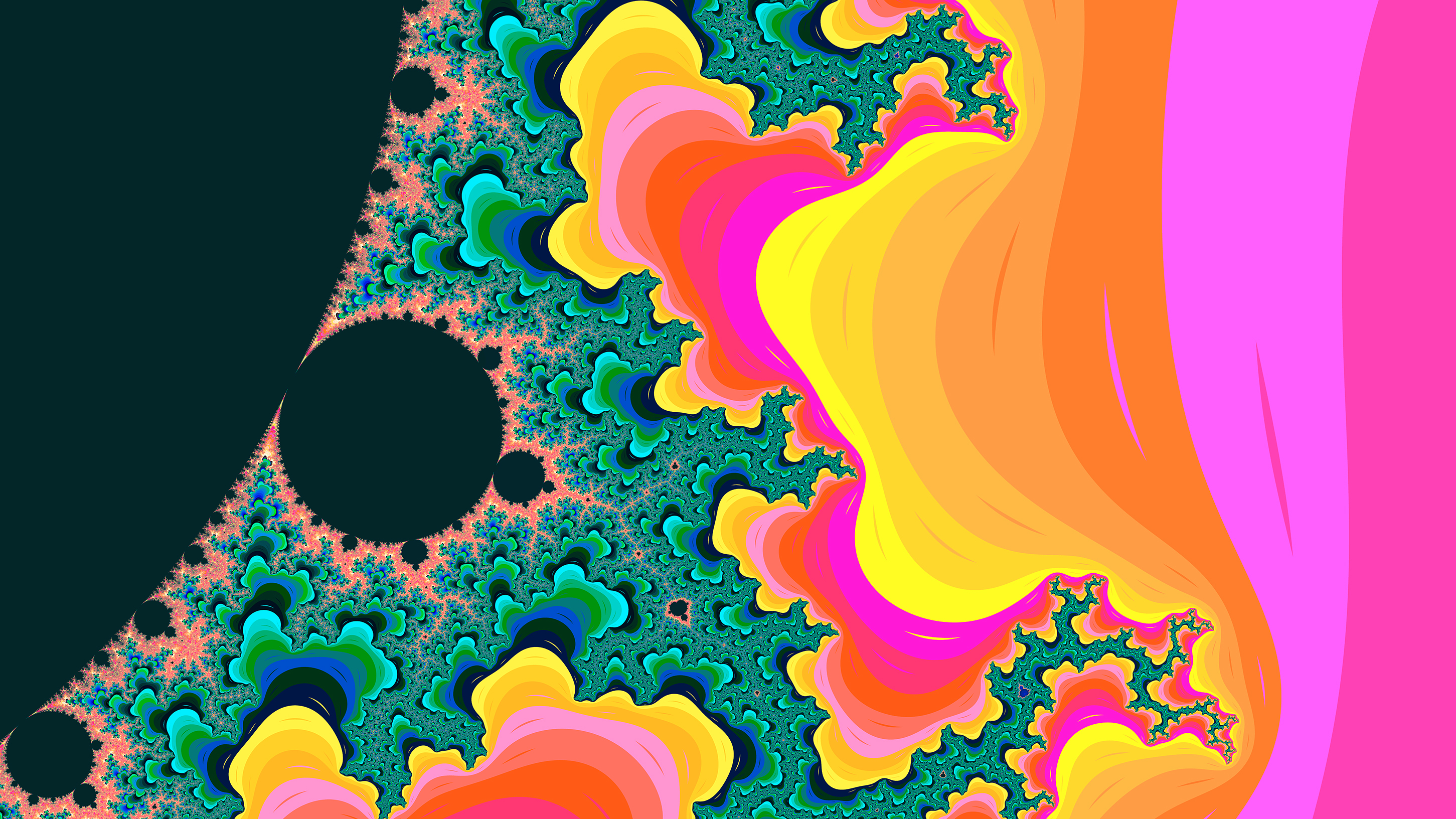
    The larger and scattered the color palette used the more intense and vivid the generated mandelbrot image is. By combining the following flag values: -step, -palette and -iteration you can obtain differently colorized mandelbrot sets, like in the screenshot below:

    mandelbrot_sample

    Because the rendering process could take some time, depending on the image resolution, the image smoothness and the iteration count, i thought that it would be a good idea to visualize the background process in terminal. For this purpose a good option was to use a different channel and signaling a tick on specified intervals. time.Tick is at rescue! On another channel i’m processing the image and when the rendering has been finished i’m sending a done signal to main goroutine, telling that the rendering process has been finished, which means i could stop the background indicator process.

    
    done := make(chan struct{})
    ticker := time.NewTicker(time.Millisecond * 100)
    
    go func() {
    	for {
    		select {
    		case <-ticker.C:
    			fmt.Print(".")
    		case <-done:
    			ticker.Stop()
    			fmt.Print("Done!")
    			fmt.Printf("\n\nMandelbrot set rendered into `%s`\n", outputFile)
    		}
    	}
    }()
    

    Install

    go get github.com/esimov/gobrot

    Before to run the code you need to include the project into the GOPATH environment variable. See the documentation: https://golang.org/doc/code.html#GOPATH

    Run

    go run mandelbrot.go –help

    Will give all the options supported by the renderer at the moment.

    Here are some options you can try out. (The attached images are generated using the below commands.)

    – go run mandelbrot.go -palette “Hippi” -xpos -0.0091275 -ypos 0.7899912 -radius .01401245 -file “test1.png”

    – go run mandelbrot.go -palette “Plan9” -xpos -0.0091275 -ypos 0.7899912 -radius .01401245 -file “test2.png” -iteration 600 -step 600

    – go run mandelbrot.go -palette “Hippi” -xpos -0.00275 -ypos 0.78912 -radius .1256789 -file “test3.png” -iteration 800 -step 6000 -smoothness 10 -width 1920 -height 1080

    TODO