Category: General

  • Delaunay image triangulation

    Delaunay image triangulation

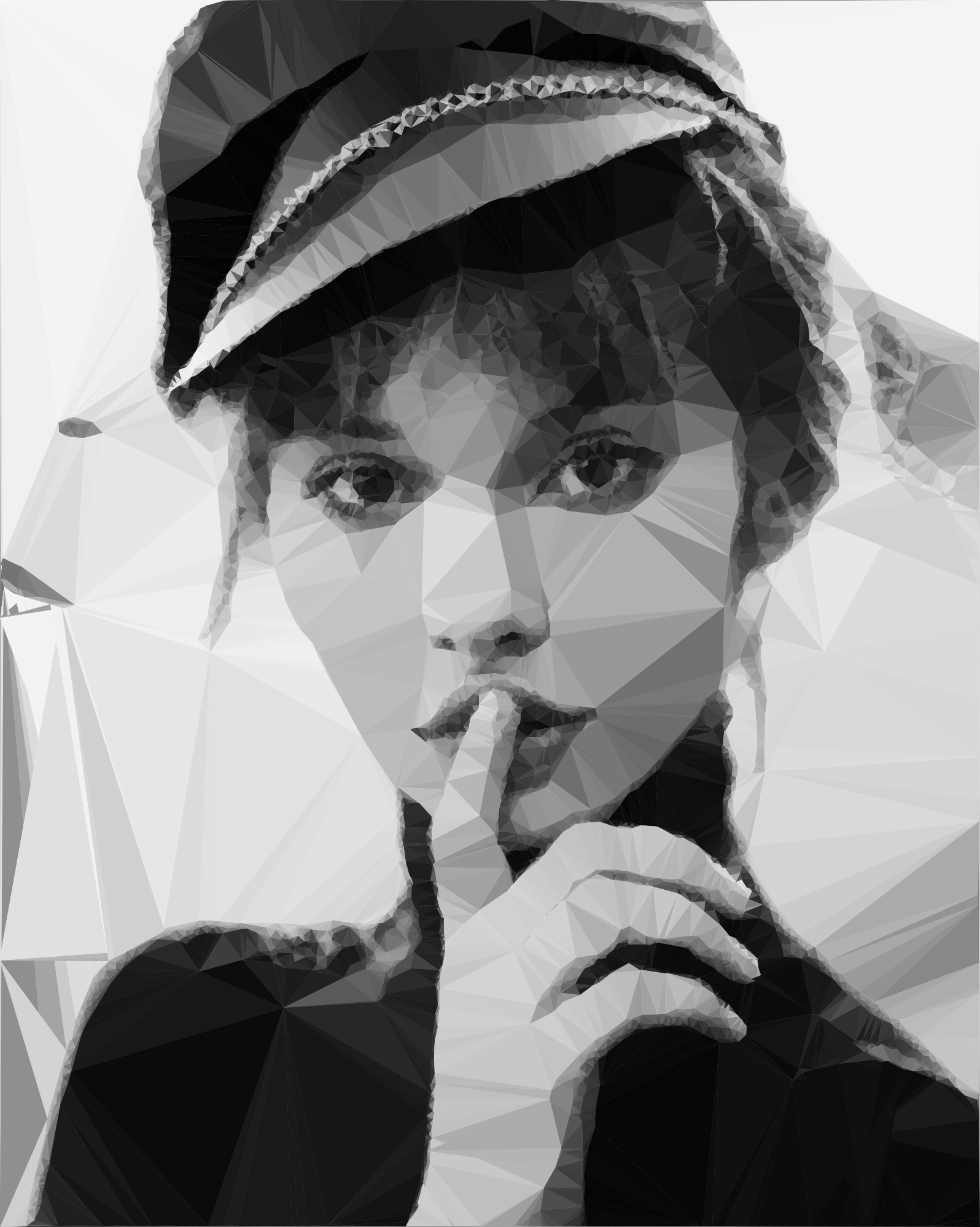
    In this article we present a technique to triangulate source images, converting them to abstract, someway artistic images composed of tiles of triangles. This will be an attempt to explore the fields between computer technology and art.
    But first, what is triangulation? Simply spoken a triangulation partitions a polygon into triangles which allows, for instance, to compute the area of a polygon and execute some operations on the computed polygon surface. In other terms the triangulation might be conceived as a geometric object defined by a point set, but what differentiates the polygons from a point set is the latter does not have an interior, except if we treat the point set as a convex hull/polygon. But to think of a point set as a convex polygon, the points from the interior of the convex hull should not be ignored completely. This is what differentiates the Delaunay triangulation from the other triangulation techniques.
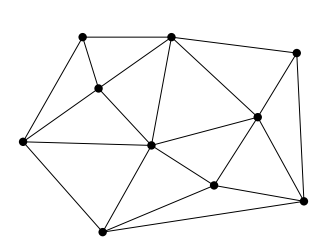
    Fig.1: Point set triangulation.

    Delaunay triangulation

    Wikipedia has a very succinct definition of the Delaunay triangulation:

    … a Delaunay triangulation (also known as a Delone triangulation) for a given set P of discrete points in a plane is a triangulation DT(P) such that no point in P is inside the circumcircle of any triangle in DT(P)

    The circumcircle of a triangle is the unique circle passing through all the vertices of the triangle. This will get valuable meaning in the following. So considering that we have a set of six points we can obtain a triangulated polygon by tracing a circle around each vertex of the constructed triangle in such a manner that the circumcircle of all five triangles are empty. We also say, that the triangles satisfy the empty circle property (Fig.2).
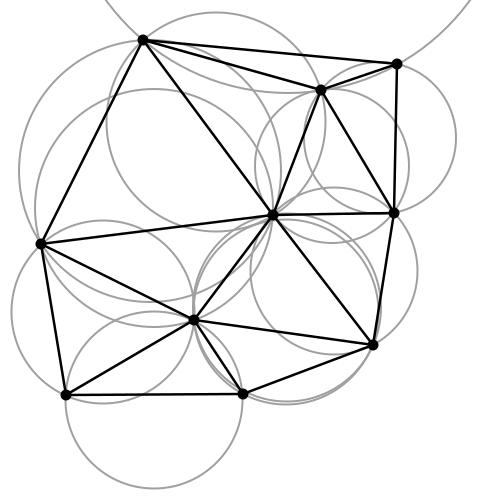
    Fig.2: All triangles satisfy the empty circle property.

    After a short theoretical introduction now we want to apply this technique to a more practical but at the same time aesthetical field, concretely to transform a source image to it’s triangulated counterpart. Having the basic idea and it’s theoretical background we can start to construct the basic building blocks of the algorithm.

    Above all a short notice: we use Go as programming language for the implementation. First, because it has a very clean and easy to use API, second because it can be well suited for a CLI based application, which single scope is to convert an input file to a destination object.

    The algorithm

    Now into the algorithm. As the basic components are triangles we define a Triangle structs, having as constituents the nodes, it’s edges and the circumcircle which describes the triangle circumference.

    
    type Triangle struct {
          Nodes  []Node
          edges  []edge
          circle circle
    }
    

    Next we create the circumscribed circle of this triangle. The circumcircle of a triangle is the circle which has the three vertices of the triangle lying on its circumference. Once we have the circle center point we can calculate the distance between the node points and the triangle circumcircle. Then we can calculate the circle radius.

    We can transpose this into the following Go code:

    The question is how do we get the triangle points from the input image? To obtain a large triangle distribution on the image parts with more details we need somehow to analyze the image and mark the sensitive information. How do we do that? Sobel filter operator on the rescue. The Sobel operator is used in image processing to detect image edges. It’s working with an energy distribution matrix to differentiate the sensitive image informations from the less sensitive ones.

    Fig.3: Sobel operator applied to the source image.

    Once we obtained the sobel image we can sparse the triangle points randomly by applying some threshold value. At the end we obtain an array of randomly distributed points, but these points are more dense on the sensitive image parts, and scarce on less sensitive ones.

    Having the edge points we check whether the points are inside the triangle circumcircle or not. We save the triangle edges in case they are included and carry over otherwise. Then in a loop we search for (almost) identical edges and remove them.

    Now that we have the nodes, in order to construct the triangulated image, the last thing we need to do is actually to draw the lines between nodes points by applying the underlying image pixel colors. The way we can achieve this is to loop over all the nodes and connect each edge point.

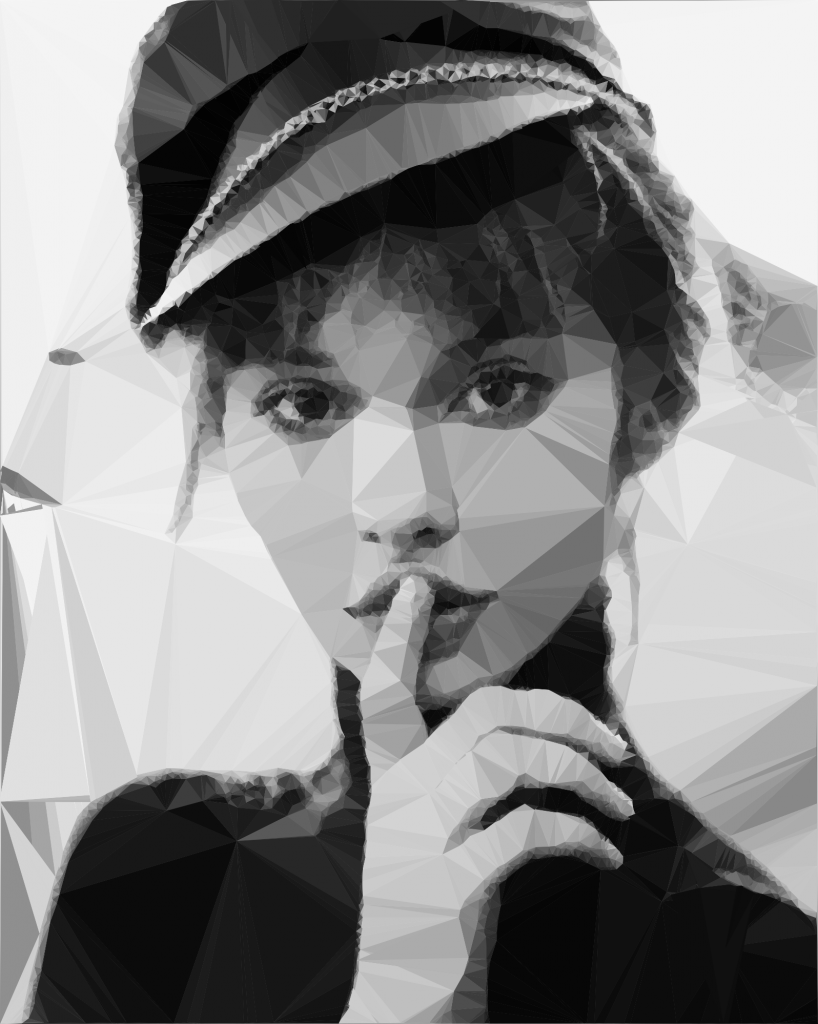
    By tweaking the parameters we can obtain different kind of results. We can draw only the line strokes, we can apply different threshold values to filter out some edges, we can scale up or down the triangle sizes by defining the maximum point limit, we can export only to grayscale mode etc. The possibilities are endless.
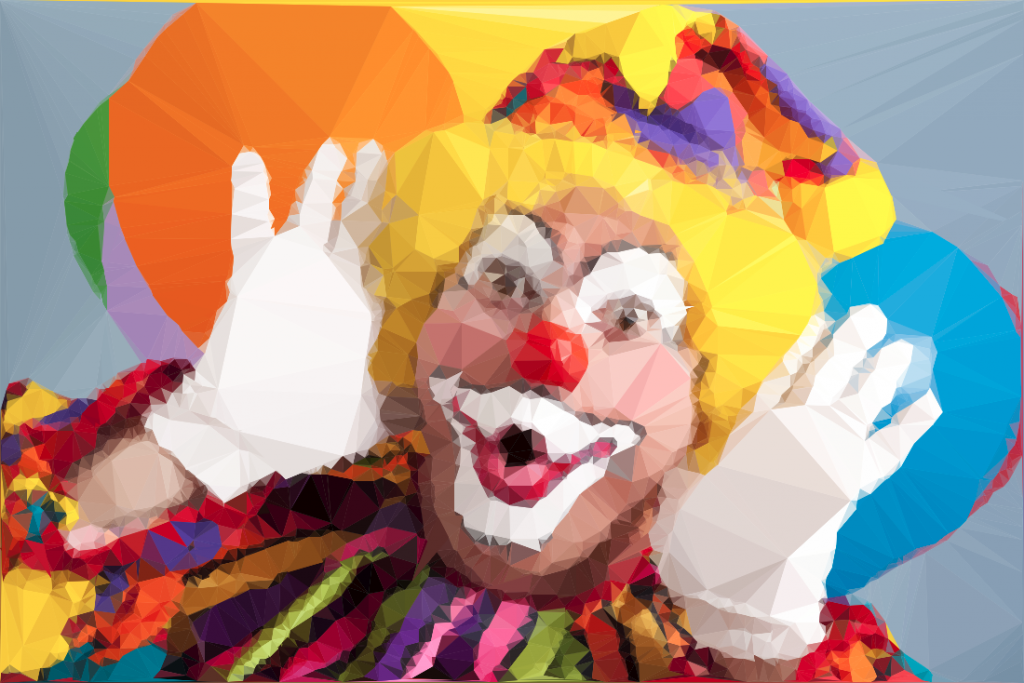
    Fig.4: Triangulated image example.

    Using Go interfaces to export the end result into different formats

    By default the output is saved to an image file, but using interfaces, the Go way to achieve polymorphism, we can export even to a vector format. This is a nice touch considering that using a small image as input element we can export the result even to an svg file, which lately can be scaled up infinitely without image loss and consuming very low processing footprint.

    The only thing we need to do is to declare an interface having a single method signature. This needs to be satisfied by each struct type implementing this method.

    In our case we need two struct types, both of them implementing the same method differently. For example we could have an image struct type and an svg struct type declared in the following way:

    Each of them will implement the same Draw method differently.

    Expose the algorithm as an API endpoint

    Having a good system architecture, coupled with Go blazing fast execution time and goroutines (another feature of the Go language to parallelize the execution) the algorithm can be exposed to an API endpoint in order to process a large amount of images and then make it accessible through a web application.

    The source code can be found on my Github page:

    https://github.com/esimov/triangle

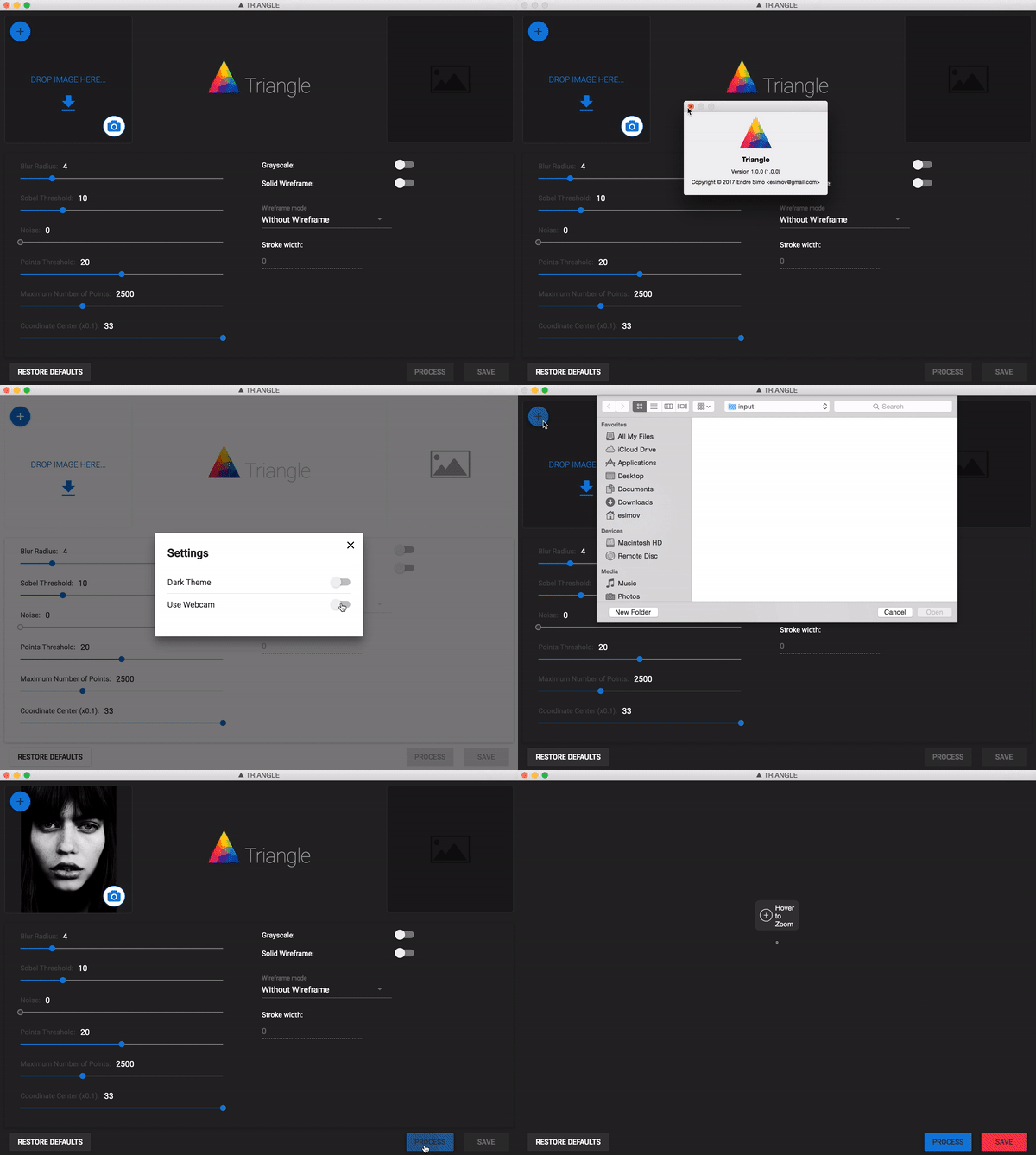
    I have also created an Electron/React desktop application for everyone who do not want to be bothered with the terminal commands and needs something more user friendly.

    The source file can also be found on my Github account:
    https://github.com/esimov/triangle-app
  • Perlin noise based Minecraft rendering experiment

    Perlin noise based Minecraft rendering experiment

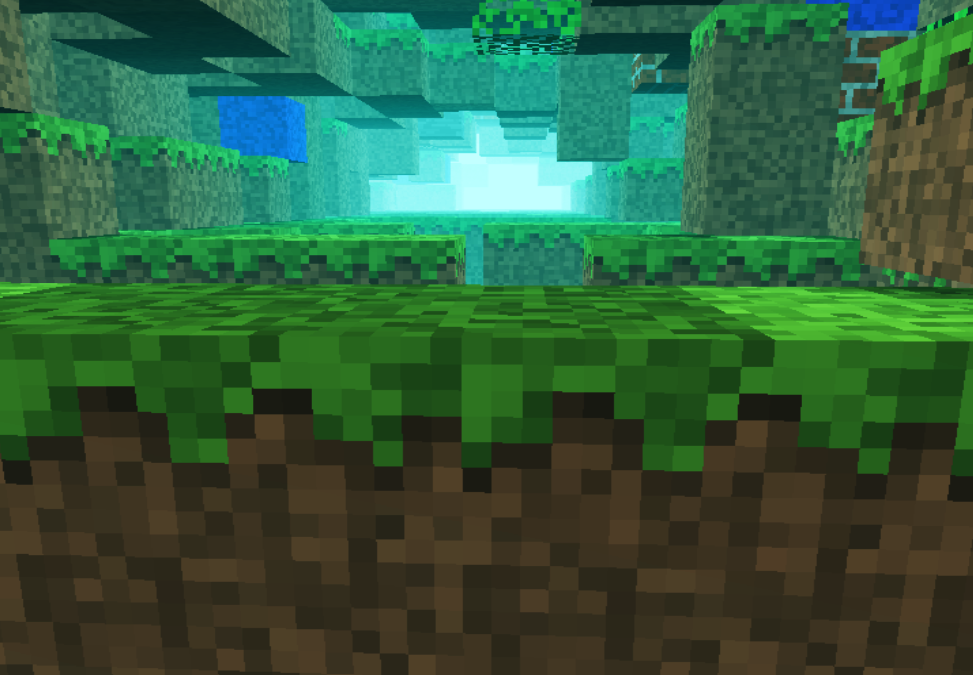
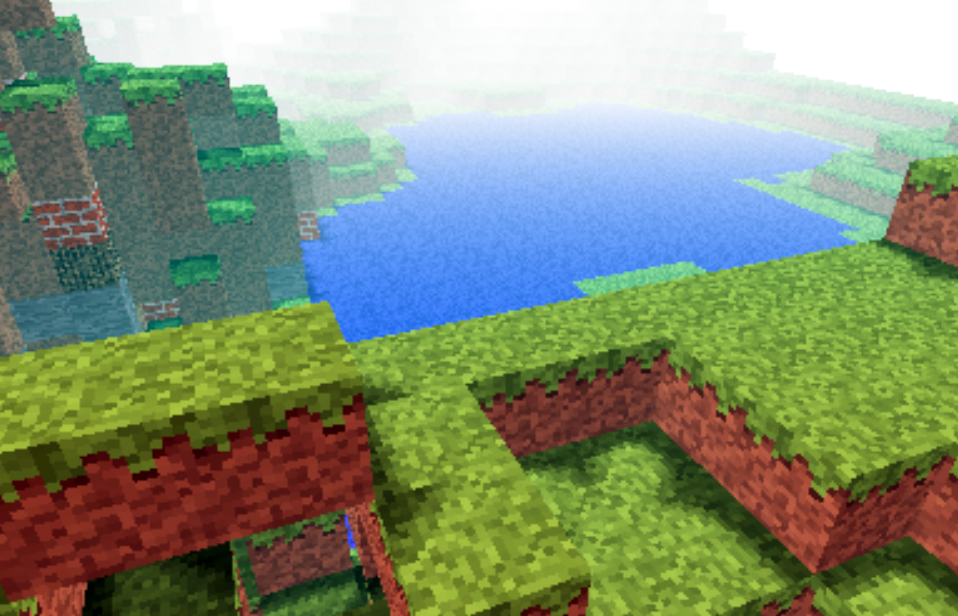
    Recently i was involved in a few different commercial projects, was toying with Golang, the shiny new language from Google and made some small snippets to test the language capability (i put them in my gist repository). In conclusion i somehow completely missed the creative coding. I had a few ideas and conceptions which i wanted to realize at an earlier or later stage. One of them was to adapt Notch minecraft renderer to be used in combination with perlin or simplex noise for generating random rendering maps.

    minecraft

    For that reason i ported to Javascript the original perlin noise algorithm written in Java. You can find the code here: https://gist.github.com/esimov/586a439f53f62f67083e. I won’t go into much details of how the perlin noise algorithm is working, if you are interested you can find a well explained paper here: http://webstaff.itn.liu.se/~stegu/simplexnoise/simplexnoise.pdf.

    As a starting point I put together a small experiment creating randomly generated perlin noise maps, and testing the granularity and dispersion of randomly selected seeding points to see how much they can be customized to create different noise patterns. I’m honest, actually these maps are not 100% randomly distributed, although they can be randomly seeded too, but for our scope I used a pretty neat algorithm for uniform granularity:

    
    // Seeded random number generator
    function seed(x) {
        x = (x<<13) ^ x;
        return ( 1.0 - ( (x * (x * x * 15731 + 789221) + 1376312589) & 0x7fffffff) / 1073741824.0);
    }
    

    And here is the working example:

    See the Pen Perlin metaball by Endre Simo (@esimov) on CodePen.

    The question that may arise: why should we need the perlin noise “thing” to generate different minecraft styled procedural terrain map? By generating randomly distributed noise we can further adjust the color mapping, then extract some of the areas above or below to certain values, which at a later state we can combine or even integrate into the core map generation logic. If you look at the alchemy behind the code responsible for programatically generating the terrain blocks, you will soon realize that we have all the ingredients (by manipulating some pixels here and there) to integrate the noise map into the block generation algorithm.

    In InitMap function we populate the map array with some initial values, then at a later stage after we generate the noise map, we extract the data as follows:

    
    for (var cell = 0; cell < pixels.length; cell += 4) {
        var ii = Math.floor(cell/4);
        var x = ii % canvasWidth;
        var y = Math.floor(ii / canvasWidth);
        var xx = 123 + x * .02;
        var yy = 324 + y * .02;
        
        var value = Math.floor((perlin.noise(xx,yy,1))*256);              
        pixels[cell] = pixels[cell + 1] = pixels[cell + 2] = value;
        pixels[cell + 3] = 255; // alpha.
    }
    

    then we go through the pixels data, setting up the condition on which data should be processed. In our actual case if the pixel color extracted is below to some certain value (this values are actually values extracted from the perlin noise map) then we set the map data to 0. This is why the perlin noise seed granularity is important. As smoother the transition between points is, as subtle would be the map generated.

    
    if ((pixelCol & 0xff * 0.48) < (64 - y) << 2) {
        map[i] = 0;
    }
    

    This is the basic logic for generating random minecraft terrain. We can even adjust the seed offset in perlin noise script to generate different patterns, however in my experiment seems that this doesn’t matter to much.

    The rendering engine is based on notch code, however i made some optimization adding some fake shadows and distance fog, creating a more ambiental environment.

    This is the code which creates the distance fog effect:

    
    var r = ((col >> 16) & 0xff) * br * ddist / (255 * 255);
    var g = ((col >> 8) & 0xff) * br * ddist / (255 * 255);
    var b = ((col) & 0xff) * br * ddist / (255 * 255);
    
    if(ddist <= 155) r += 155-ddist;
    if(ddist <= 255) g += 255-ddist;
    if(ddist <= 255) b += 255-ddist;  
    
    pixels[(x + y * w) * 4 + 0] = r;
    pixels[(x + y * w) * 4 + 1] = g;
    pixels[(x + y * w) * 4 + 2] = b;
    

    Playing with values i discovered that actually i can “move the camera around the scene” (actually here we have a fictive camera, meaning that not the camera is moving around scene, but the objects are projected around some fictive coordinates), so it was quite easy to get the mouse position and adjust the camera relative to the mouse position, this way including some user interaction into the scene.

    Version 2

    Even tough the desired effect pretty much satisfied my expectations, something was really missing from the original version: it was not possible to generate randomly seeded terrain maps and also the generated map was pretty much the same. So I have extended the first version with random map generation, replaced the Perlin noise generator with the simplex noise, added fake shadow and fog to give the feeling of depth and on top of these i have also included a control panel to play with the values. This is how it came out:

    The source code can be found on my Github page:

    https://github.com/esimov/minecraft.js

  • Nice to meet you Go lang

    Nice to meet you Go lang

    Nice to meet You, GO!

    Recently i started to study Go language, the shiny new programming language developed by Google. The general opinion about the language among developers was quite positive so i thought to give it a try.

    As a web developer i’m working mainly with dynamic languages like PHP, Ruby, Javascript etc., so for me it was fresh new start to switch back to a language which has a standard AOT (Ahead of Time) compilator, contrary to JIT (Just in Time) compilers, which translate the human readable (high level) code to machine or byte code prior to execution, the compilation time being one of the strong feature of the Go language. Until now this was regarded as one of the great benefits of dynamic languages because the long compile/link step of C++ could be skipped, but with Go this is no longer an issue! Compilation times are negligible, so with Go we have the same productivity as in the development cycle of a scripting or dynamic language. On the other hand, the execution speed of the native code should be comparable to C/C++.

    Above the fast compilation time, another main characteristic of Go is that it combines the efficacy, speed and safety of a strongly and statically compiled language with the ease of programming of a dynamic language. Above these, Go is designed for fast parallelization, thread concurrency which are the basic desirables for network programming, Go definitely being designed for highly scalable and lightning fast web servers.This is certainly the great stronghold of Go, given the growing importance of multicore and multiprocessor computers, and the lack of support for that in existing programming languages.

    Because it is a statically typed language it’s a safe language, giving 100% percent trust for the programmer for incidental and not desired errors to not happen, assigning different types of values to the same variable (redeclaring) being impossible without an error notification. Go is strongly typed: implicit type conversions (also called castings or coercions) are not allowed; the principle is: keep things explicit!

    Text editors and IDE extensions for Go

    Having these basic ingredients at our disposal, combined with a powerful editor like IntelliJ IDEA extended with a very versatile Golang Idea Plugin specially developed to support all the syntactical sugar, auto completion, refactoring etc. desired for every IDE, programming in Go is pure fun. I can fully recommend this strong partnership.

    I’ve tried Sublime Text 2 editor with GoSublime plugin, but even if i’m a huge fan of Sublime i think the first option is a better choice. There is a dedicated page at the project site for the current existing editors supporting the language including Eclipse, but considering that till now i was very satisfied with InteliJ editors i sticked with IntelliJ IDEA.

    Installation

    The installation of Go is quite straightforward. You only need to follow the directions set on main site: http://golang.org/doc/install, paying special attention to setting up the environment variables. I won’t go into details how to do this (you can read this article if you need assistance), i will focus only on two special aspects of the installation process:

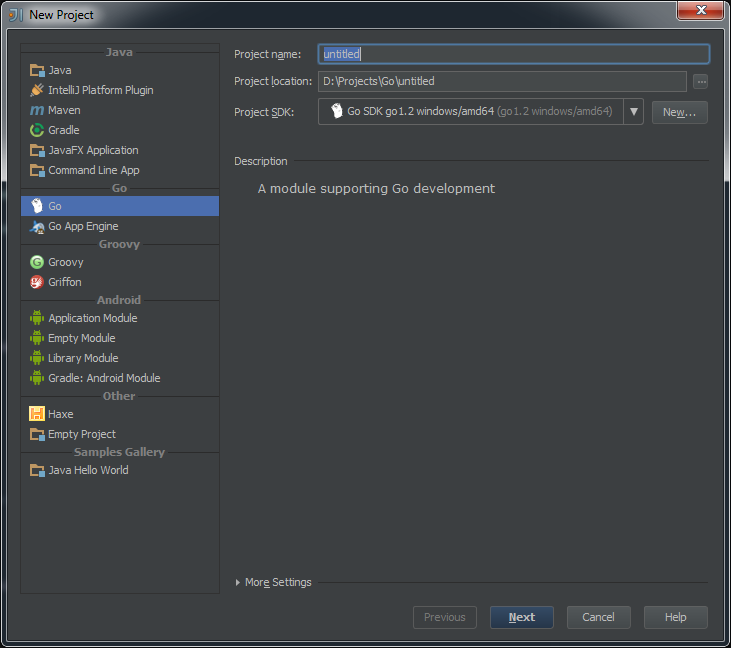
    1.) The first one is that if you are using Windows environment (i haven’t tested on other environments) and want to use Go with IntelliJ IDEA be careful to download the binary code, extract it and copy into the root folder of Go installation, otherwise it’s not possible to associate the project to the Go SDK. If everything went well, you should see something like this:

    Go SDK

    …otherwise if you install with MSI installer, the IDE won’t be able to locate and setup the SDK.

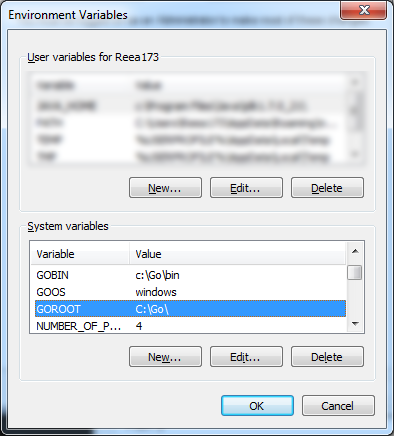
    2.) Another special attention which you have to pay is to set up the Go environment variables correctly. This means either you specify the GOROOT, GOOS, GOBIN variables per project or you set up permanently by including into the Windows default environment variables either by using the SET command line or simply by editing the existing environment variables on Control Panel -> System and Security -> System -> Advanced System Settings -> Advanced.

    Windows EV

    However on each project you need to setup the GOPATH variable (which need to be associated to the root of the project folder!!) by running the SET GOPATH="root\to\the\project\folder" command. This is necessary if you wish to run the build or install go commands in order to create executable files or to build the source packages.

    Quasi torture test

    After setting up the necessary prerequisites I've started to play with different type of function invocations Go can handle, one of the most referred in every torture test being the recursive function. I came up with three different methods to calculate the factorial of the first 40 numbers and measured the execution time for each one separately.

    As you can see from examples below the calculation/execution times are really impressive. The first method is the traditional one. It's execution time is the worst between the three. The second method is a demonstration how Go can handle closure functions and how can solve the same problem more elegantly. The last one is the best one using the memoization technique. What i really liked is how elegantly Go handle the closure function, being possible to define even a function as a return statement. So below are the methods, you can test it yourself by following the steps defined above.

    Conclusion

    This is the first post from - hopefully - a series of Go related entries, so along the way tinkering with the language, i'm aiming to publish more views and thoughts. In the current phase i wanted only to share my first impression and steps necessary to install Go with a IntelliJ IDEA on Windows environment.

    package main
     
    import (
    	"fmt"
    	"time"
    )
     
    const LIM = 41
    var facts [LIM]uint64
     
    func main() {
    	fmt.Println("==================FACTORIAL==================")
    	start := time.Now()
    	for i:=uint64(0); i < LIM; i++ {
    		fmt.Printf("Factorial for %d is : %d \n", i, Factorial(uint64(i)))
    	}
    	end := time.Now()
    	fmt.Printf("Calculation finished in %s \n", end.Sub(start)) //Calculation finished in 2.0002ms 
     
    	fmt.Println("==================FACTORIAL CLOSURE==================")
    	start = time.Now()
    	fact := FactorialClosure()
    	for i:=uint64(0); i < LIM; i++ {
    		fmt.Printf("Factorial closure for %d is : %d \n", uint64(i), fact(uint64(i)))
    	}
    	end = time.Now()
    	fmt.Printf("Calculation finished in %s \n", end.Sub(start)) //Calculation finished in 1ms 
     
    	fmt.Println("==================FACTORIAL MEMOIZATION==================")
    	start = time.Now()
    	var result uint64 = 0
    	for i:=uint64(0); i < LIM; i++ {
    		result = FactorialMemoization(uint64(i))
    		fmt.Printf("The factorial value for %d is %d\n", uint64(i), uint64(result))
    	}
     
    	end = time.Now()
    	fmt.Printf("Calculation finished in %s\n", end.Sub(start)) // Calculation finished in 0ms
    }
     
    func Factorial(n uint64)(result uint64) {
    	if (n > 0) {
    		result = n * Factorial(n-1)
    		return result
    	}
    	return 1
    }
     
    func FactorialClosure() func(n uint64)(uint64) {
    	var a,b uint64 = 1, 1
    	return func(n uint64)(uint64) {
    		if (n > 1) {
    			a, b = b, uint64(n) * uint64(b)
    		} else {
    			return 1
    		}
     
    		return b
    	}
    }
     
    func FactorialMemoization(n uint64)(res uint64) {
    	if (facts[n] != 0) {
    		res = facts[n]
    		return res
    	}
     
    	if (n > 0) {
    		res = n * FactorialMemoization(n-1)
    		return res
    	}
     
    	return 1
    }

    And here is the gist: Download gist

  • A new look for my site

    A new look for my site

    It has been a very long time since my last post, ignoring almost any online social activity and not having too much free time for visual experimentation and self study, but finally find some time to finish the new look of my site. Actually is not only a new look, but a completely reworked and redesigned site from ground up. The previous version was based on WordPress. I liked the flexibility and easy to use feature of WordPress, which in essence could be to reduce to a two-step workflow: search for a theme, install it and you are good to go.

    footer-logo

    BTW this is the logo of my site designed by myself

    I was thinking from time to time, to give some personality to my site, meaning trying to keep myself distant from WP, maybe using only the backend part for content upload, post editing and any other content management activity.

    Searching for WP alternatives I found roots.io and Octopress the two most suitable alternatives for WordPress. Initially i opted for the first one only for the reason that i can preserve the current content without too much overhead. I found this a good alternative to WordPress for it’s minimal and accessible markup and for the fact it can rewrite the conventional wordpress URL’s, meaning it makes the path names cleaner, but on the other hand i thought it would be more challenging but at the same time more satisfying and rewarding to create my own custom Javascript library for building the site. For this scope i used PHP only for calling some web services, pulling out the content from WordPress database, wrapping as a JSON object, then transmitting over to the front end where with some ajax call i can build the whole page.

    I wanted to build the site using cutting edge modern web technologies for this reason many of the features are not working as expected on older browsers. The whole site has been build up around HTML5, Canvas and CSS3 spiced with a lot of Javascript. This is somehow a mini MVC framework, the model part being responsible for obtaining the JSON data from backend, the controller having as main role to communicate with the view and model (triggering the model and passing the results to the view the latter organizing the received data in a visual manner).

    Many of you may ask why i didn’t make it with more fashinable MV* frameworks like Backbone, Angular.js or Ember.js? My answer is: when i started this project i wasn’t very familiar with these technologies, i only heard about them, and once started i wanted to make it till the end. Maybe sometime i will think differently and will give it a try, but till then i’m pretty satisfied with the result. Of course there are some bugs which i have to address, like responsiveness, awkward page rendering when selecting a specific tag and associating the posts with these tags. Feel free to give any feedback be as good or bad.

    As you probably realized sometimes you are redirected to my other domain name (esimov.com). I’m not completely decided either to keep esimov.com or esimov.com as my main blogging platform, the first one having a more ‘business-ish’ feeling, on the other hand the last one suiting more for a personal blogging scope. I will decide later.